Your customers know exactly what they want. Every comment, complaint, suggestion, and five-star review holds clues about where products fall short and how services can better support their needs. When teams listen closely to the voice of the customer (VoC), this feedback becomes a direct line to stronger offerings, tighter relationships, and sustained revenue growth.
VoC is the practice of capturing, analyzing, and acting on customer feedback at scale. That feedback shows up across many channels, including:
- Survey responses
- Product and in-app feedback
- Online reviews and testimonials
- Support interactions
- Sales calls
One of the biggest challenges researchers face is what happens after feedback is collected. Open-ended survey responses, reviews, and other unstructured text quickly add up to thousands of data points. Reviewing that volume manually is slow, inconsistent, and difficult to scale across teams, especially when insights are needed quickly.
In this guide, we break down the best VoC tools in 2026, comparing where each one shines, where it falls short, and which types of research teams they’re best suited for, so you can choose the right solution for your VoC goals.
What Are Voice of Customer (VoC) Tools?
Voice of Customer tools help businesses collect, analyze, and interpret customer feedback to better understand the customer experience and identify actionable insights.
VoC tools generally fall into a few broad categories. Some are end-to-end platforms that support the full workflow, from feedback collection through analysis and reporting. Others focus primarily on text and qualitative analysis, helping teams make sense of large volumes of survey responses and other unstructured data. There are also tools that are more collection-focused and emphasize gathering feedback from surveys, for example.
Regardless of category, the goal is the same: to understand what customers are saying, why they’re saying it, and how those insights can inform business decisions.
Benefits of Voice of Customer Tools
VoC tools can fundamentally change how a business operates by offering a clear, organized view into what customers are thinking, feeling, and expecting. Instead of relying on assumptions or scattered feedback, businesses gain direct insight from the people who are actively buying and using their products or services. Below are some of the most important business benefits of investing in VoC tools:
- Clear visibility into customer pain points: By identifying recurring frustrations and unmet needs, businesses can prioritize fixes that matter most to customers and remove friction across the customer journey.
- Stronger customer relationships: When customers see their feedback reflected in real changes, trust grows. Acting on feedback shows that the business listens and responds, which deepens long-term relationships.
- Increased loyalty and retention: Businesses that respond effectively to customer feedback are more likely to keep customers engaged, reduce churn, and build lasting loyalty over time.
- Higher profitability: Better products, stronger retention, and more satisfied customers directly support revenue growth.
- Competitive differentiation: Staying closely aligned with customer needs makes it easier to keep pace with changing expectations and stand out in crowded markets.
The Top AI-Native Qualitative VoC Analysis Tools
1. Blix — Best Overall Tool for Open-Ended Feedback Analysis
Blix is an AI-native platform designed to analyze open-ended responses at scale. It enables market research and insights teams to code qualitative feedback from multiple sources and generate insights in minutes, helping reduce the frustration that often comes with the time-consuming efforts of manual verbatim analysis.
Best for
Research teams, insights teams, CX teams, and agencies handling large volumes of open-ended survey data who want faster insights without complex setup.
Pros
- Fast insight generation: Helps teams move from open-ended responses to usable insights in minutes.
- User-friendly: Accessible for non-technical users without extensive setup.
- High-quality insights: Supports consistent, reliable qualitative analysis across studies.
- AI-driven sentiment analysis: Helps uncover meaning and sentiment behind customer feedback.
- Supports global research: Analyzes data in any language, including automatic translation and coding.
Cons
- No built-in survey distribution: Blix focuses on analyzing open-ended feedback rather than collecting responses.
What reviewers say
"We can now confidently ask open-ended questions. What once felt overwhelming now feels exciting, like Christmas morning! And our clients LOVE the insights!"
Source: Matt Hussey, Founder of Generosity X
“Our clients are over the moon with the insights we've been able to pull out thanks to Blix. We couldn't be happier!”
Source: Moa Wirde, Project Manager, Convosphere
The best tool for Voice of Customer analysis
Book a demo now to to analyze your open ended feedback in minutes with Blix
2. Thematic
Thematic is an AI-driven qualitative VoC analysis platform focused on identifying themes and sentiment in open-ended feedback. It helps research and CX teams organize large volumes of qualitative responses into clear, consistent insights.
Best for
Research teams and CX analysts working with large volumes of survey responses who want reliable customer insights.
Pros
- Multi-channel feedback support: Connects qualitative feedback from surveys, reviews, support tickets, and more.
- Analyst control: Allows researchers to review, validate, and refine themes.
Cons
- Complex setup: Some configuration is needed upfront to tailor the platform to specific projects.
- Longer time to insights: Insight generation can take more time compared to fully automated solutions.
What reviewers say:
“Thematic rapidly uncovers themes in client verbatim feedback, giving us a fast start in making sense of all types of feedback, whether it's NPS, CSAT, or one-off surveys.”
Source: G2
“Though the Thematic team did do a lot of the heavy lifting in the initial set-up, the client does need to do a lot of set-up work as well to train the software to pick-up on certain items you'll want to measure.”
Source: G2
3. Kapiche
Kapiche is a qualitative analytics platform designed to surface insights from support conversations across all channels. It helps teams explore patterns and themes in feedback using dashboards and interactive visualizations.
Best for
CX teams and analysts who want to explore feedback themes visually across multiple sources.
Pros
- Visual insight exploration: Dashboards make it easier to spot patterns and relationships in customer feedback.
- Multi-source feedback support: Handles qualitative data from surveys, reviews, and other feedback channels.
Cons
- Complex interface: Can feel overwhelming without prior experience or onboarding.
- Lots of manual work required: Requires significant configuration before meaningful analysis can begin.
- Limited flexibility after upload: Difficult to adjust or refine datasets.
What reviewers say:
“The tool itself is clever, easy to use and has saved me and the team a lot of time.”
Source: G2
“Creating themes is still quite manual and you never know how accurate they are.”
Source: G2
4. Wonderflow
Wonderflow is an enterprise customer intelligence platform focused on analyzing customer feedback at scale, with a strong emphasis on customer reviews. It’s commonly used in industries like consumer electronics, health and beauty, and retail to surface product and experience insights.
Best for
Product and CX teams analyzing customer reviews alongside survey feedback.
Pros
- Strong review aggregation: Excels at collecting and analyzing large volumes of review-based feedback.
- Built-in sentiment and theme detection: Combines sentiment analysis with automated theme identification.
Cons
- Expensive for smaller teams: Pricing may be hard to justify for teams with limited budgets.
- Less reliable with complex open-ended data: Nuanced or ambiguous responses may require additional review to confirm accuracy.
- Limited reporting detail: Insights are clear, though teams looking for very detailed breakdowns may want additional layers of analysis.
What reviewers say:
“It is a simple-to-use software, easy to understand and provides accurate outputs.”
Source: G2
“Good for data that you gather, not user-friendly for creating reports.”
Source: Capterra
5. Chattermill
Chattermill uses AI to analyze feedback from surveys, support tickets, product reviews, and more. The software generates insights and provides custom reports with summaries and filters to guide strategic decisions.
Best for
Large CX teams running ongoing VoC programs across multiple feedback channels.
Pros
- Built for continuous CX monitoring: Designed to track customer sentiment and trends over time.
- Team collaboration features: Supports shared dashboards and cross-team access to insights.
Cons
- Extensive setup and configuration: Requires significant time and effort to implement and customize.
- Slow for ad hoc analysis: Not ideal for quick, one-off research projects.
- Enterprise-focused pricing: Better suited for large organizations than smaller or lean research teams.
- Limited export options: Difficult to pull data or insights into external tools for deeper analysis or reporting.
What reviewers say:
“The dashboards are great for spotting trends fast.”
Source: G2
“I hate that I can't export data in a way that's ready to be leveraged on excel.”
Source: G2
End-to-End VoC Platforms
6. Qualtrics
Qualtrics is an enterprise experience management platform with Voice of the Customer capabilities, supporting large-scale survey programs and multi-channel feedback collection.
Best for
Large enterprises running complex, multi-channel VoC programs
Pros
- Advanced survey creation and distribution: Offers robust tools for designing, deploying, and managing surveys at scale.
- Wide analytics coverage: Supports a broad range of quantitative and qualitative analytics across experience data.
- Strong compliance and security: Built to meet enterprise-grade privacy, security, and regulatory requirements.
Cons
- Complex setup and implementation: Requires significant configuration and onboarding before teams can use it effectively.
- Not user-friendly: The interface can feel overwhelming, especially for non-technical users.
- Slow insights for open-ended responses: Still requires manual review of generated themes.
What reviewers say:
“The dashboards and reporting tools provide clear, actionable insights for decision-making.”
Source: G2
“The product is incredibly complex, which makes it difficult for your average employee base to set it up themselves.”
Source: Gartner
7. Forsta
Forsta is a research-focused VoC and survey platform designed to support complex research programs. In addition to survey research, it supports online focus groups and social listening, making it suitable for teams running multi-method customer research initiatives.
Best for
Market research agencies and advanced research teams.
Pros
- Strong research methodology support: Built to handle complex study designs.
- Detailed reporting capabilities: Offers in-depth, studio-style reports.
- Mobile-friendly surveys: Supports mobile-optimized survey layouts for respondent accessibility.
Cons
- Heavy manual setup: Steep learning curve for new users and teams without prior experience.
- Slow insights for open-ended responses: Qualitative analysis often takes longer compared to AI-native text analysis tools.
- Poor overall user experience: The interface can feel outdated and unintuitive for everyday use.
What reviewers say:
“Their CX software solution delivers incredible value and provides us with the insights and data that form the foundation of our business strategy.”
Source: G2
“While navigating we need to go through multiple pages/tabs, which I felt was somewhat difficult.”
Source: G2
8. Medallia
Medallia is an enterprise CX platform built to help large organizations understand how customers feel across every touchpoint. It brings together feedback from digital channels, in-store interactions, and service experiences into a single system teams can monitor over time.
Best for
Global organizations managing feedback across many touchpoints
Pros
- Omnichannel feedback ingestion: Collects and analyzes feedback from digital, in-store, contact center, and service interactions.
- Enterprise-grade reporting: Provides dashboards and reports built for large teams and executive stakeholders.
Cons
- Deep manual effort required: Insight generation often relies on manual setup and ongoing management.
- High cost for smaller teams: Pricing is typically suited to large enterprises rather than lean research or CX teams.
- Complex workflows: Day-to-day use can feel cumbersome due to layered features and configuration requirements.
What users have to say:
“The platform is very adaptable to the needs of information visualization. It updates in real-time with the responses from surveyed customers.”
Source: G2
“The system is very heavy on manual effort to organize insights and carry them across teams.”
Source: G2
9. InMoment
InMoment is a CX platform that brings together feedback collection, analytics, and action planning in one system. It’s designed to help organizations connect customer feedback directly to operational improvements, rather than treating VoC as a standalone research effort.
Best for
Companies tying VoC to operational change programs
Pros
- End-to-end CX coverage: Supports feedback collection, analysis, and action planning within a single platform.
- Detailed dashboards: Provides visual reporting to track trends, performance, and operational metrics.
- Multi-source feedback capture: Collects customer feedback from surveys, digital channels, and other touchpoints.
Cons
- Difficult to customize for specific niches: Platform configuration can feel rigid for specialized use cases.
- Limited filtering and cross-analysis: Makes it harder to filter data across segments or variables.
- Restricted control over inputs and outputs: Adjusting data sources, analysis logic, or reporting formats can be challenging.
What users are saying:
“It is very straightforward to use and provides great tools to digest the data.”
Source: G2
“I think the AI could be better. The keywords are not always picking up the words in the text analytic portion.”
Source: G2
10. QuestionPro
QuestionPro is an all-in-one survey and research platform built for market research professionals across a wide range of industries. It combines survey software with a broader research suite that helps companies launch, manage, and scale Voice of the Customer programs using tools like sentiment analysis and customer experience measurement.
Best for
Research teams and enterprises running structured survey-based VoC programs.
Pros
- Robust survey creation and distribution: Offers robust tools for building, launching, and managing surveys across channels.
- Support for complex research designs: Handles advanced study structures.
- Strong quantitative analysis capabilities: Covers a wide range of quantitative and statistical use cases.
Cons
- Complex interface: Can feel overwhelming, especially for users who don’t work in survey tools daily.
- Limited open-ended text analysis: Qualitative analysis features are less advanced than tools built specifically for open-text feedback.
- Slow insights for qualitative feedback: Open-ended responses often require additional manual work, which can slow analysis.
What reviewers say:
“QP is easy to use, the interface is intuitive, and the range of question types meets our needs.”
Source: Capterra
“The surveys look a little older/outdated compared to other survey programs.”
Source: Capterra
11. Zonka Feedback
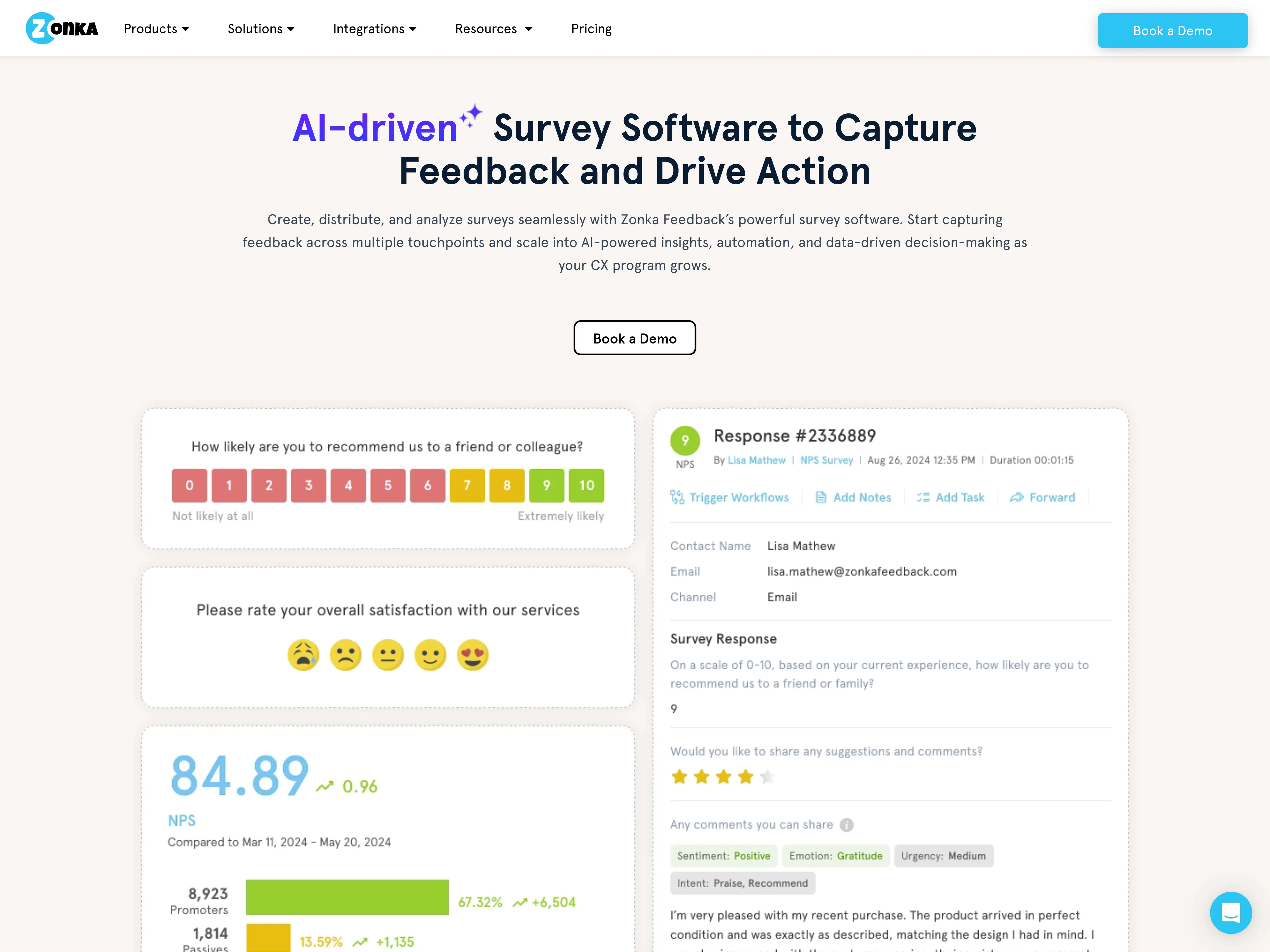
Zonka Feedback is an AI-powered customer feedback and intelligence platform that helps teams collect, unify, and act on customer feedback across the entire journey. It supports multichannel surveys (NPS, CSAT, CES) across email, SMS, WhatsApp, web, in-app, kiosks, and offline touchpoints, and uses AI to analyze unstructured feedback through thematic analysis, sentiment scoring, and entity recognition. It's often used by CX, support, and product teams that want a single platform to capture feedback signals and close the loop, instead of stitching together a survey tool, an analytics layer, and a workflow engine.
Best for
CX, support, and product teams running multichannel VoC programs that combine structured surveys with AI-driven analysis of open-ended feedback.
Pros
- Strong multichannel feedback capture: Collects feedback across email, SMS, WhatsApp, web, in-app, kiosks, and offline, making it suitable for both digital and physical touchpoints.
- AI Feedback Intelligence layer: Uses thematic analysis, sentiment scoring, and entity recognition to surface patterns from open-ended responses, tickets, chats, and reviews in one place.
- Closed-loop workflows: Built-in case management, automation, and integrations with HubSpot, Salesforce, Zendesk, and Intercom help teams act on feedback, not just collect it.
- Easy to set up and adopt: Recognized in G2's Winter 2026 reports for usability and ease of implementation, with most teams going live in days rather than weeks.
Cons
- Less suited for academic-style research: Designed primarily for CX and operational feedback programs rather than complex market research studies.
- AI tier pricing gap: The jump from the core Feedback Management plan to the AI Feedback Intelligence tier can be significant for smaller teams with lower feedback volumes.
- Power features have a learning curve: Custom entities, taxonomies, and advanced automations work well but take some ramp-up time to configure.
What reviewers say:
"Hands down the best feedback software. Super easy to set up, amazing value for money, and the support is enterprise-level no matter which plan you are on."
Source: G2
"Zonka Feedback offers an appealing, modern-looking survey software with visually pleasing surveys and feedback forms. The visual Survey Builder is easy to use and intuitive, making the process of setting up surveys enjoyable."
Source: G2
VoC Feedback Collection & Experience Measurement Tools
12. SurveyMonkey
SurveyMonkey is a widely used survey platform known for its ease of use and fast survey deployment. While its VoC capabilities are more lightweight, SurveyMonkey is often used by teams that need quick feedback collection and simple reporting without complex setup.
Best for
Teams looking for simple feedback collection and quick pulse surveys.
Pros
- Built-in audience access: Offers SurveyMonkey Audience, allowing teams to quickly reach targeted respondent panels without sourcing participants separately.
- Fast survey deployment: Surveys can be created and launched quickly.
Cons
- Limited insights: Open-text analysis is basic and often requires manual review.
- Lack of integration options: Fewer native connections compared to enterprise VoC platforms.
- Keyword-based insights: Analysis relies heavily on keywords rather than deeper understanding of response meaning.
What users are saying:
“What I like about SurveyMonkey is its ease of use and short implementation.”
Source: G2
“Limited features. Not advanced in this landscape.”
Source: G2
13. Qualaroo
Qualaroo is an on-site and in-product feedback tool designed to capture real-time customer input directly within digital experiences. It’s commonly used to trigger targeted surveys based on user behavior, page visits, or specific actions, making it useful for understanding intent and friction points as they happen. Qualaroo is best positioned as a feedback collection layer rather than a full Voice of the Customer analysis platform.
Best for
Product and UX teams collecting in-product and on-site feedback.
Pros
- Easy in-product survey collection: Makes it simple to capture feedback directly within websites and applications.
- Basic reporting outputs: Generates high-level reports to summarize responses and trends.
Cons
- Not built for large-scale VoC analysis: Designed for targeted feedback collection, not enterprise-wide VoC programs.
- Limited depth of analysis: Lacks advanced tools for deep qualitative or text-based analysis.
- Difficult to filter results: Filtering and segmenting feedback can feel restrictive for detailed analysis.
What reviewers say:
“Being able to get feedback from customers while they’re actually on our site is a huge win.”
Source: G2
“It is expensive. Definitely not for small businesses.”
Source: Capterra
14. AskNicely
AskNicely is a CX platform that supports survey distribution, continuous feedback collection, and follow-up workflows that help service-driven teams close the loop with customers. While AskNicely covers feedback collection and action well, it’s not a full VoC analysis platform and is often paired with a separate tool for deeper analysis of open-ended responses.
Best for
Service-driven businesses running NPS and customer experience programs.
Pros
- Simple NPS survey distribution: Makes it easy to launch and manage NPS surveys across channels.
- Strong customer-facing workflows: Supports follow-ups and actions based on customer feedback.
- Built for continuous feedback collection: Designed to track sentiment over time, not just one-off surveys.
Cons
- Limited analysis capabilities: Open-ended text insights are relatively high-level.
- Not designed for large-scale qualitative work: Better suited for sentiment tracking than deep qualitative research.
- Often requires additional analysis tools: Teams may need to use a dedicated VoC or text analysis platform for deeper insight.
What reviewers say:
“The platform is incredibly easy to manage and use within our firm, making it the easiest platform I handle.”
Source: G2
“AskNicely has limited customization, more so on surveys which could be useful in feedback management.”
Source: G2
How to Choose the Best Voice of the Customer Tool in 2026
When comparing voice of the customer tools, it helps to look beyond feature lists and focus on how well a platform supports real-world analysis. Many tools claim similar capabilities, but they can feel very different once teams begin working with large volumes of customer feedback.
To choose the right solution, consider how a tool performs across the full analysis workflow, from raw responses to usable insights. In particular, consider the following:
- Volume of open-ended feedback you handle: Can the tool process hundreds or thousands of open-ended responses without slowing down?
- Speed of insights: Does the tool surface themes automatically, or does it require setup and tuning first?
- Quality of insights: Are themes clear, relevant, and grounded in customer language?
- Manual work required: Are analysts spending more time configuring the tool than analyzing outcomes?
- User-friendliness: Can non-technical users understand and work with the platform?
Keeping these questions in mind helps ensure the tool you choose can support both day-to-day research needs and long-term VoC programs as they scale.
Best VoC Tools at a Glance (By Use Case)
No single Voice of Customer tool is best for every use case. The right choice depends on where your team needs the most support in the VoC workflow.
✔ For organizations running large, complex VoC programs, Qualtrics stands out as a strong end-to-end option, offering survey distribution and enterprise reporting at scale.
✔ Teams focused primarily on fast, accessible feedback collection may find SurveyMonkey to be the most practical choice, especially for launching surveys quickly and gathering structured responses.
✔ When it comes to analyzing open-ended survey responses at scale, Blix is purpose-built for that task. Rather than trying to cover every part of the VoC lifecycle, Blix focuses on turning large volumes of open-text feedback into clear insights in minutes, without extensive manual coding.
In practice, many teams combine tools; using one platform to collect feedback and another to analyze open-ended responses more deeply. If open-ended analysis is slowing down your VoC efforts, Blix offers a user-friendly, efficient way to close that gap and get to high-quality insights faster.
The best tool for Voice of Customer analysis
Book a demo now to to analyze your open ended feedback in minutes with Blix